
Product updates
How to send an agreement for signature in Inklok
Choose recipients, fill in your fields on the PDF, and review the agreement before sending it for signature.
Say you send a mutual NDA before sharing designs with a prospective partner. The wording stays the same from one send to the next, while the company name, effective date, and project reference change. Customer feedback helped us see where sending got awkward. You want to check those details on the PDF before anyone gets an invitation.
How do I send an agreement for signature?
In the Dashboard or Agreement Vault, choose Send an agreement. Pick an existing template or upload a PDF and add fields. Once the template is ready, the send flow has three steps.
- Recipients. Enter who should receive the agreement and match each person to their role. For a mutual NDA, that might be a signer from your company and one from the other company.
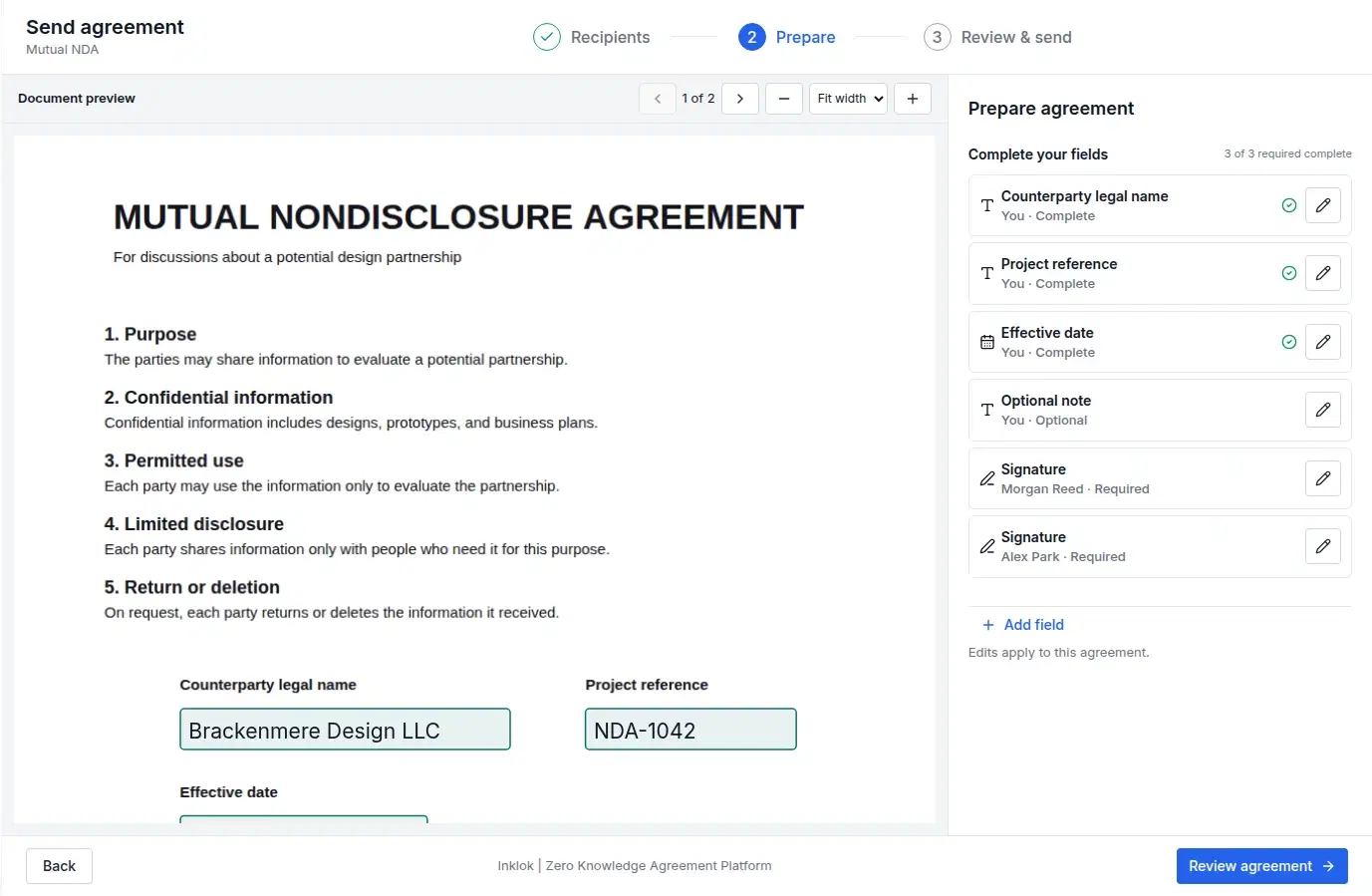
- Prepare. Fill in the fields assigned to you and see the values on the PDF. Add a field for this send if you need one, and choose who completes it. You might fill in the effective date yourself and leave each signature field for its signer.
- Review & send. Check the prepared PDF, recipients, and signing order. You can go back and make changes. Invitations go out when you select Send for signature.
Can I change fields for just one agreement?
Yes. In Prepare, you can add, edit, or remove fields for the agreement you’re sending. If one partner needs a field for their own reference number, add it there. If you need that field every time, add it to the reusable template.
That distinction is also behind our other update. You can now edit an agreement template after sending, and each sent agreement keeps the setup it was sent with.