
Product updates
Edit an agreement template after sending
Update a reusable template for future sends. Agreements you’ve already sent keep their original setup.
On Monday, you send a mutual NDA from a template. On Tuesday, you edit that same template to add a client reference field. Monday’s agreement keeps its original fields, their positions on the PDF, and who completes them, even if people are still signing it. The new field appears on agreements you send from the updated template.
Customer feedback helped us see why this mattered. The old Published state locked the template, so even a small change meant creating another version to send. We removed that step so you can keep using the same template as your process changes.
Can I edit an agreement template after sending it?
Yes. Open Templates, edit the reusable template, and save your changes. The saved changes apply to future sends from that template.
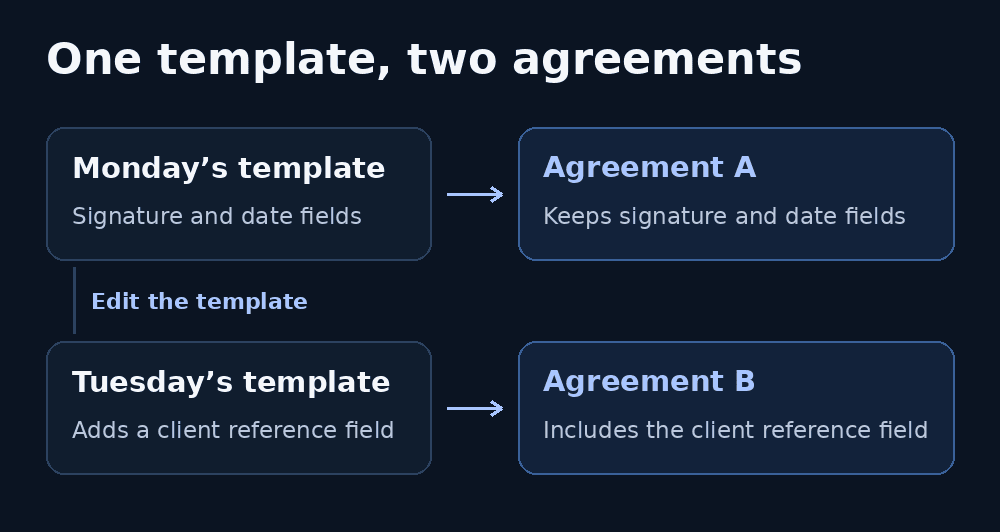
What does Inklok save when you send?
Each new agreement gets a snapshot of the setup used for that send. Think field names, where each field sits on the PDF, and who completes it. The snapshot includes field changes you made in Prepare for that agreement. When a recipient opens the signing link later, their agreement still has the fields it was sent with.
How do I know a template is ready to send?
The template editor now shows Ready to send or Needs setup. Give each recipient at least one field to complete. The status updates as you edit, and Inklok checks the saved setup before you continue to sending.
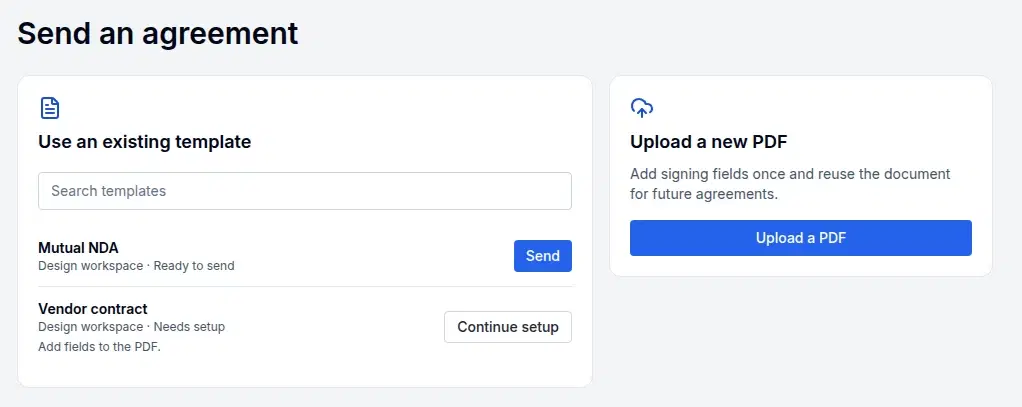
Once your template is ready, here’s how to prepare and send an agreement for signature.